Community service
For schools with service hour requirements. Students find service events and submit hours for staff review.
Manage community service, internships, and work-based learning with tools for student signups, placements, hours, and progress.
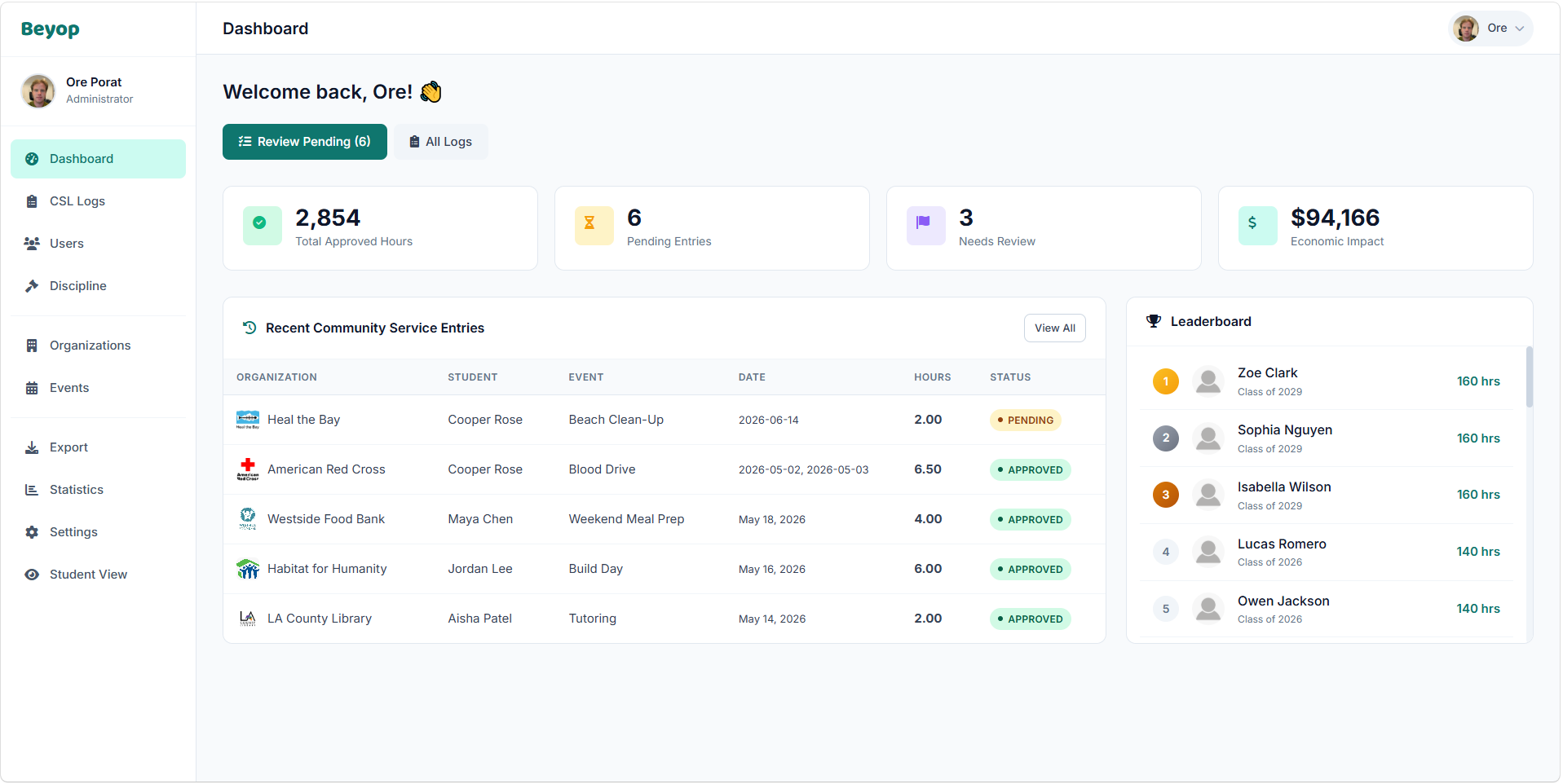
For schools with service hour requirements. Students find service events and submit hours for staff review.
For programs that place students with outside organizations. Keep placements, organization contacts, and supervisor details together.
For programs that staff events and recurring shifts. Students sign up for open spots, and staff follow progress toward program requirements.
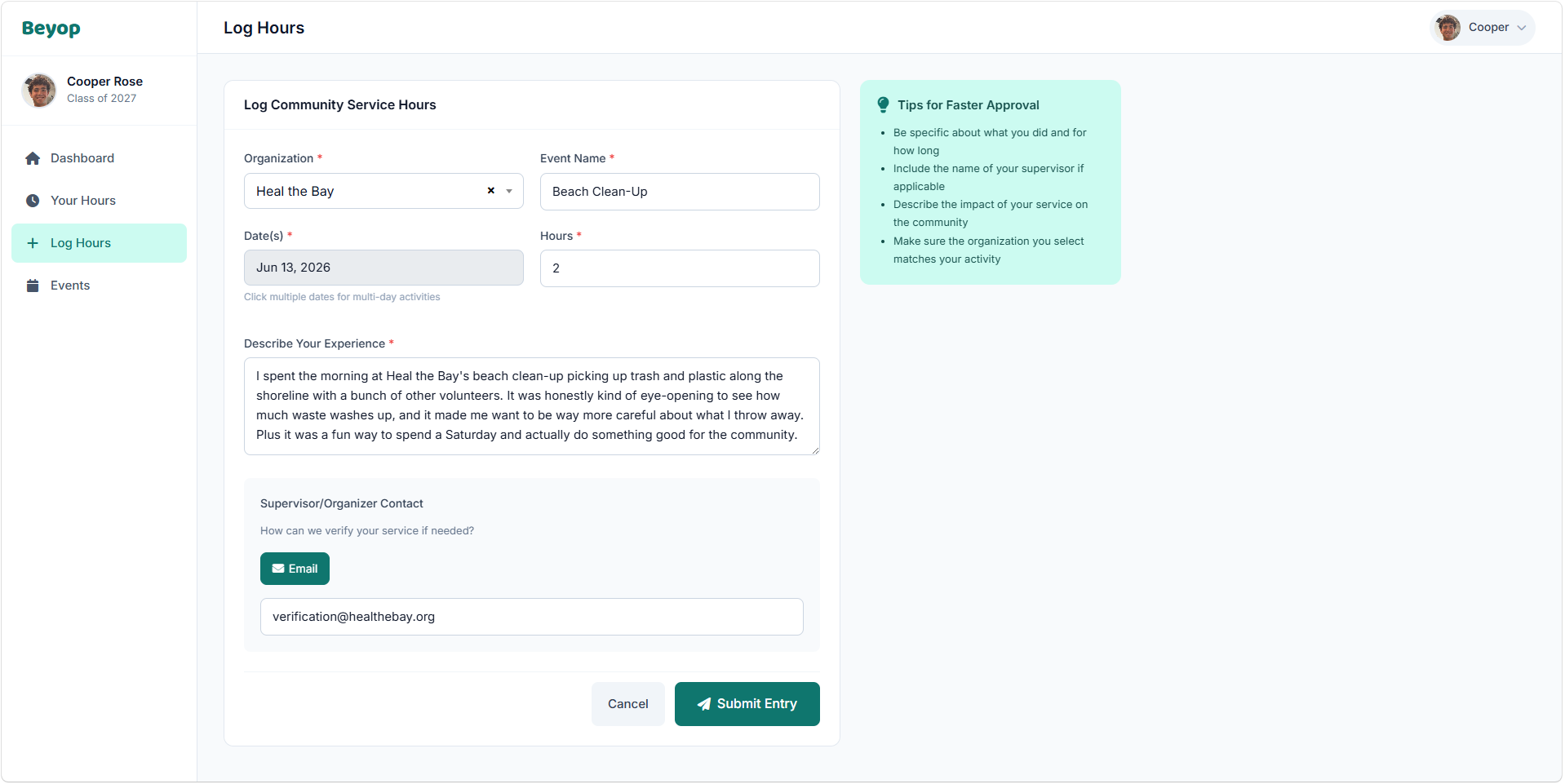
Students enter the date, hours, and a description of what they did, and can add a supervisor's contact.
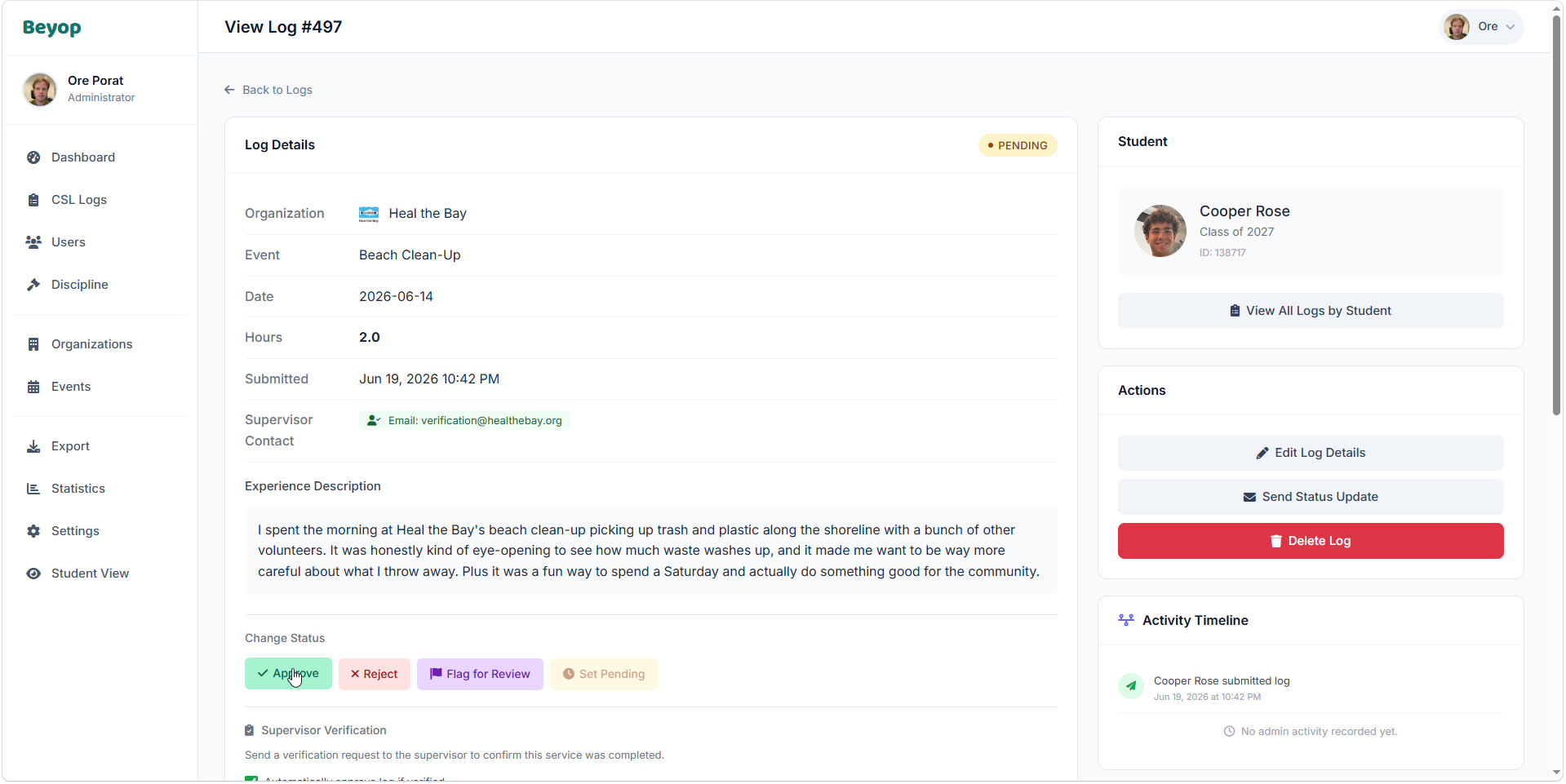
Staff approve, reject, or flag a submission for review. Supervisors can also confirm hours through an email link, as a separate step.
Post events and recurring shifts with capacity limits. When a shift fills, students can join the waitlist.
Students request placements with organizations, and staff review and approve each request.
Follow each student's progress toward class and program requirements.
Record attendance at club meetings.
See hour totals and participation statistics for your program.
Show students how participation compares across your program.
Ask us during your demo which records your program can bring in or export.
“It is rare to find a platform that is both powerful and so easy to use, and Beyop has accomplished exactly that.”
“The platform did not simply reproduce an existing administrative process in digital form. It improved it.”
Start with Beyop's existing tools for signups, placements, hours, and progress. We'll discuss how they fit your school's program. Small adjustments can be included; larger additions require a separate conversation about scope and cost.
We'll share pricing for your school after the demo.
Yes. Beyop keeps organizations and their contact information, handles student placement requests and staff approvals, and records dated hours with activity descriptions. Supervisors can confirm hours through an email link.
A supervisor confirmation comes from the student's supervisor, through an email link. Staff approval is your school's review of the submission. They're separate steps.
No. A signup holds a student's spot. Hours are submitted separately and reviewed by staff.
We'll walk through setup with you after the demo. Beyop runs in a web browser, so there's nothing to install.
Yes. Beyop is built to comply with FERPA and California student-privacy law, and we sign the standard California Student Data Privacy Agreement (CA-NDPA). Student data is encrypted, stored in the U.S., and never sold or used for advertising.
We'll share pricing for your school after a short demo. Small adjustments can be included; larger additions require a separate conversation about scope and cost.
No. Beyop works in any web browser on any device.
Typically a simple service agreement, the standard data privacy agreement, and a purchase order. We make it straightforward.
Book a 30-minute call. We'll show you Beyop and talk through how your program runs.
Book a demo